

If you've ever needed to generate device configurations from a central data source, export infrastructure data for third-party tools, or create reports from your network inventory, you understand the challenge of transforming structured data into usable formats.
Infrahub Transformations and artifacts solve this problem by automating data transformation and output generation from your infrastructure data.
Infrahub Transformations in a nutshell
Infrahub Transformations are operations that extract infrastructure data through GraphQL queries and convert it into different formats using either Jinja2 templates or Python code.
Instead of manually writing scripts to pull data and format it for each use case, you define reusable Transformations that query exactly the data you need and output it in the format you require, whether that's device configuration files, JSON payloads for APIs, or any other text-based format.
Transformations make it easy to integrate Infrahub data with other systems, generate configuration files dynamically, and build automation workflows that respond to changes in your infrastructure. Because Transformations are stored in Git repositories alongside your infrastructure code, they're versioned, testable, and collaborative.
The connection between Transformations and artifacts
Transformations and artifacts work together as a complete data-to-output pipeline. A Transformation defines how to process and format your data. An artifact is the result of running that Transformation for a specific object or context.
Artifacts provide significant benefits beyond simply running Transformations on demand. Generated artifacts are cached in Infrahub's object storage, reducing system load for resource-intensive transformations. All versions of artifacts remain available, providing a complete history of generated outputs over time.
Artifacts are automatically included in the Proposed Change review process, so configuration changes can be reviewed before deployment. And because artifact nodes are stored in the database, other objects can have relationships with them, enabling sophisticated queries.
How Transformations work in Infrahub
A Transformation consists of two main components: a GraphQL query that defines the input data, and transformation logic (written in Jinja2 or Python) that processes and formats that data.
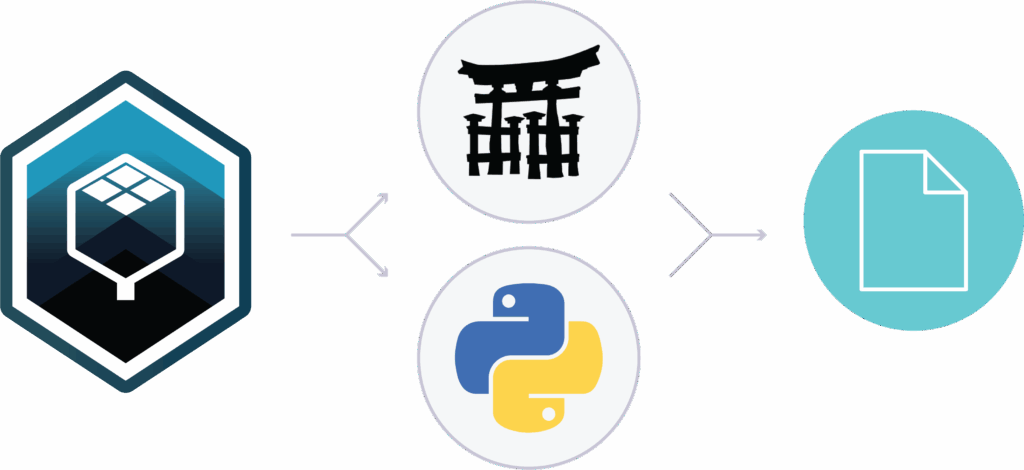
The GraphQL query retrieves exactly the infrastructure data needed. For example, to generate a device configuration, you might query for the device name, IP addresses, interfaces, and VLAN assignments. The query can accept parameters, making Transformations dynamic: the same Transformation can work for multiple objects by simply changing the input parameters.
The transformation logic takes the query results and processes them into the desired output format. Jinja2 Transformations use templates to generate text-based outputs like configuration files. Python Transformations use Python code to generate structured data like JSON payloads. Both approaches automatically inherit the parameters defined by their GraphQL queries.
Transformations are defined in Git repositories in an .infrahub.yml file, then synced to Infrahub. Once defined, they can be rendered on demand via the REST API, generated as artifacts, or called during development and testing using the infrahubctl command-line tool.
Jinja2 and Python Transformations
Infrahub supports two types of Transformations, each suited to different use cases.
Jinja2 Transformations generate plain text output using Jinja2 templates. They're perfect for generating configuration files, scripts, documentation, or any text-based format.
Jinja2 templates are relatively simple to write and maintain, making them accessible for those who may not be comfortable with Python programming. A Jinja2 Transformation includes one main template (which can import other templates), a GraphQL query, and configuration in the .infrahub.yml file that connects them.
Python Transformations generate structured data (JSON) using Python code. They provide maximum flexibility for complex data manipulation, making them ideal for generating API payloads, performing calculations, or implementing sophisticated logic.
A Python Transformation is written as a class that inherits from InfrahubTransform and implements a transform method. Like Jinja2 Transformations, they're paired with a GraphQL query and defined in .infrahub.yml.
Both types of Transformations support the same features: parameters from GraphQL queries, access to files in the Git repository, and integration with Infrahub's branching model. The choice between them depends on your output format needs and whether your transformation logic is better expressed as a template or as code.
Transformations work seamlessly with Git branches
Because Transformations are defined in Git repositories and synced to Infrahub, they integrate naturally with Git workflows. When you modify a Transformation in a branch, that updated version is used when rendering in that branch context. This allows you to test Transformation changes before merging them to production.
When you query or render a Transformation through Infrahub's API, you can specify which branch to use. The branch parameter determines both which version of the Transformation logic to use and which branch of infrastructure data to query. This ensures consistency: your development branch uses development Transformations and development data, while production uses production versions of both.
This Git-native approach means Transformation changes go through the same review and testing processes as your infrastructure data and schema changes. You can propose changes to Transformations, review them collaboratively, run CI checks to validate they work correctly, then merge them when ready. The result is safer, more collaborative development of your automation components.
Common use cases for Infrahub Transformations
- Generating device configurations: Transformations query device data from Infrahub (interfaces, IP addresses, routing configuration) and generate device-specific configuration files from templates. These configurations can be pushed to devices through your deployment automation.
- Generating API payloads: Transformations export Infrahub data into formats required by external systems. A Python Transformation can generate the exact JSON structure needed by cloud providers, ticketing systems, or configuration management tools, bridging Infrahub to your broader ecosystem.
- Creating documentation and reporting: Transformations generate human-readable documentation from infrastructure data. You might create Markdown reports of network topology, CSV exports of inventory data, or SVG network diagrams, all automatically generated from your current infrastructure state.
- Converting data formats: Transformations convert data between different representations for downstream consumption. For example, you might convert Infrahub's graph-based data into hierarchical OpenConfig structures, or transform inventory data into Terraform variable files for downstream automation.
Infrahub artifacts in a nutshell
An artifact is the result of a Transformation for a specific context or object.
While you can always render Transformations on demand through the API, artifacts provide caching, traceability, peer review integration, and database relationships that make them valuable for production use cases.
Artifacts support multiple formats including JSON, YAML, XML, HCL, plain text, Markdown, CSV, and SVG. All of these formats are rendered properly in Infrahub's web interface for easy viewing.
How artifacts work in Infrahub
Artifacts are defined by creating an artifact definition that groups a Transformation with a group of target objects. The definition specifies which objects will generate artifacts (through a Group), how to process the data (through a Transformation), and the format of the output. From this definition, Infrahub's task workers automatically generate artifact nodes for each target object.
A key feature: artifacts can automatically regenerate when source data changes during a Proposed Change. When you update infrastructure data that affects an artifact, Infrahub can detect the change and regenerate the artifact, ensuring your generated configurations and outputs always reflect your current infrastructure state.
When artifacts regenerate within a Proposed Change, you’ll see a diff that shows how the data or template changes will change the artifact. This keeps the entire change chain—from data and templates to final artifacts—visible in one review process.
How artifacts are stored and versioned
Each artifact's content is stored in Infrahub's object storage system, while the artifact node (containing metadata and relationships) is stored in the graph database.
The artifact identifier remains constant over time, but its content can change as infrastructure data evolves. All previous versions of an artifact's content remain available, providing a complete history.
Infrahub Transformations and artifacts FAQs
When should I use a Transformation versus querying data directly?
Can Transformations access data from external systems?
Can Transformations call other Transformations?
How do I test and validate my Transformations?
Infrahub provides several testing approaches. During development, use infrahubctl render (for Jinja2) or infrahubctl transform (for Python) to test Transformations locally before committing them. Once in Infrahub, you can render them on demand through the API to verify output.
For automated validation, Infrahub's Pytest plugin lets you create unit tests for Transformations that run as part of the CI pipeline, ensuring changes don't break existing functionality.
How do I view and retrieve artifacts?

Ready to try Transformations and artifacts?
- Get hands-on with the guides: Our documentation includes step-by-step guides for creating Jinja2 Transformations, creating Python Transformations, and generating artifacts that walk you through the complete process with working examples.
- Watch examples in action: Check out the webinar on Using GraphQL, Transformations, and Jinja2 Templates to Drive Network Automation to see real-world examples of Transformations automating Arista network devices.
- See related use cases: Learn how Transformations integrate with broader workflows in our blog posts on automating configuration workflows using Infrahub and Nornir and getting started with the Pytest plugin for testing Infrahub resources.
- Explore the sandbox: Play in the Infrahub sandbox or request a personalized demo to see how Transformations and artifacts can automate configuration generation and data integration in your infrastructure environment.